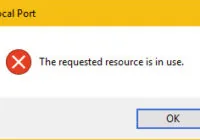
Printer port in use please wait Error in Windows 10
While you try to print a locally connected printer from Windows 10, you will get a “Port in use, please wait” error message and it won’t fix the issue even you waited for a longer time, how to fix Port in use error, Local port: requested resource is in use, this might be an issue…
Different Types of Azure AD Device Join/Registered
Joining Machine to Azure AD: Azure AD registered Vs Azure AD joined Vs Hybrid Azure AD joined Vs Domain Joined Devices: quite confusing right? why we are having this many different procedures to connect the Windows 10 Client or any other devices to Azure AD, which one is best to integrate the system to Azure…
How to Re-enable device accidentally disabled by the user
If you accidentally disabled your Azure registered device and want to re-enable it again, how to Re-enable the device? can the user enable the device in the Azure portal? accidentally disabled my device, unable to login and it’s not responding Also Read: How to Move or Migrate On-Premises AD Account between Domain/Forest without losing the Azure…
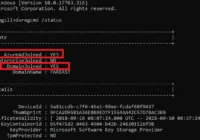
What is EnterpriseJoined /On-premises DRS Joined / Workplace Join Devices
EnterpriseJoined is the device Joined to an on-premises Device Registration Service (DRS) which is also called Workplace Join (WPJ), how it’s different from Azure DRS? can we add the device to AzureAdJoined, if the device is already EnterpriseJoined? Also Read: How to configure Azure Active Directory Application accessible only for certain users Enterprise Joined, On-premises…
How to Monitor Network Traffic (Packet Capture/Network Trace) in Windows without installing any Tools
As a Windows Active Directory Administrator, we have to do network trace to monitor the network traffic of the Windows server for troubleshooting the issues, usually, third-party applications like Wireshark been used to capture and analyze, how can we collect the network trace using Windows built-in tools without Wireshark? There is an easy way to…
How to configure Azure Active Directory Application accessible only for certain users
Allow Azure enterprise application to access information only for selected users, don’t want all other users to access the applications, usually, all the on-premise and cloud users can access the Applications registered in your Azure AD tenant, how we can prevent this? Also Read: Active Directory Types: Difference between Active Directory Vs Azure Active Directory…
How to Connect Your Android Phone to Windows 10
Before explaining how to link your mobile phone to Windows 10, why you requited to do this? is there any useful feature I can really use out connecting my Android or iOS phone to Desktop? yes there is a lot you can do without physically connecting through a USB cable Also Read: Troubleshooting Tips for Windows…
Why Chrome & Edge have so many processes in Windows 10
If you notice the Windows 10 Task manager for Google Chrome and Microsoft Edge browser processes, you will see a list of processes under each browser, event if you just open a browser without any new tabs, why so? Also Read: How to Fix High RAM/CPU Memory Usage on Windows 10 Each running applications have…
Microsoft August 2020 Patch issues and unanswered questions: No Netlogon events in Domain Controller logs after August 2020 Patches
August 2020 Patch (CVE-2020-1472) is fixing Netlogon Elevation of Privilege Vulnerability, we have to patch all the Domain Controllers to secure our environment from this Vulnerability and its two-part rollout stars on August 2020 and Feb 2021, we have many unanswered questions like, is the August 2020 patch will affect the non-secure clients? is there…
How to Rename an Azure Resource Group (RG)
Can I Rename an Azure Resource Group? Is it possible to Rename a Resource Group in Azure, let’s say you have created and configured the Azure Resource Group and realized that the RG name is not the one you intended, want to rename without affecting the service and without deleting and adding a new resource…